SolarEPCFlow

For solar EPC companies

Your solar projects are stuck in DISCOM files, not on rooftops.

SolarEPCFlow connects every stage of a solar project — enquiry, site survey, design, procurement, installation, net-metering and O&M — so your team always knows what is blocking each project and who owns the next step.

Free trial   Web and mobile

Why solar EPCs lose time between stages

A rooftop or C&I solar project passes through more hands than almost any other small project: sales, a site surveyor, a designer, procurement, an installation crew, a liaison executive at the DISCOM, the subsidy portal and finally the O&M team. In most EPCs, each of these teams works from their own sheet or WhatsApp group.

The delays are rarely in installation itself. They happen in the gaps — a survey report that never reached the designer, a missing document that holds up net-metering for three weeks, a subsidy claim that was not filed because nobody owned it. Customers call the owner directly because no one else can answer "what is the status?"

Solar EPC software has to model the whole lifecycle, not just sales or just projects, and it has to know about the steps that are unique to solar: load sanction, net-meter applications, inspections and subsidy disbursement.

What to look for in solar EPC software

  1. The full lifecycle. Lead-to-commissioning is not enough. DISCOM, subsidy and O&M are where most EPCs lose time and money.
  2. Survey data that flows. Site survey inputs should reach design and proposals without anyone re-typing roof sizes or sanctioned load.
  3. State-specific DISCOM steps. Net-metering steps and documents differ by DISCOM. The software should let you configure them.
  4. Mobile app for site teams. Surveyors and installers need mobile workflows with photos and checklists.
  5. Owner-level visibility. One screen that shows every project's stage, blockers and owner, without calling five people.

Features

How SolarEPCFlow solves it

01

Capture every solar lead with its source

Log enquiries from your website, referrals and other channels with their source and location, so you know where business comes from. Work leads as a list, on a board or on a map of where your customers are.

SolarEPCFlow leads list showing each solar enquiry with its source, location and status
02

A pipeline from first call to installation

Move each customer through clear stages — New, Contacted, Qualified, Site Survey Done, Proposal Sent, and Won or Lost — with the system size in kW on every deal. Nobody has to ask where a customer stands.

SolarEPCFlow deals board moving solar customers from new to contacted, proposal and installed, with system size in kW
03

Site surveys that feed design directly

Schedule a survey and assign a surveyor, who records the GPS location, roof type and condition, phase, electrical load, photos and documents on the app. The survey stays linked to the lead and project, so the designer starts with real site data.

SolarEPCFlow site survey app capturing site location, roof photos, roof dimensions and obstructions
04

Designs, BOQ and proposals

Turn survey data into system size, BOQ and a branded proposal with generation estimates and payback. Revisions are versioned so sales and design are always looking at the same numbers.

05

Project execution and DISCOM tracker

Every project gets milestones from procurement to commissioning. The DISCOM tracker follows net-meter applications, inspections and document checklists so liaison delays are visible the day they start.

06

O&M tickets and AMC schedules

After commissioning, the plant moves into O&M with its full history. Schedule panel cleaning and preventive visits, log breakdown tickets and track generation complaints against the original design.

Go live in days

How it works

  1. 1

    Map your workflow

    We configure your stages, document checklists and DISCOM steps for the states you work in.

  2. 2

    Move live projects in

    Import open leads and running projects from Excel so the team starts with real data on day one.

  3. 3

    Run every project from one screen

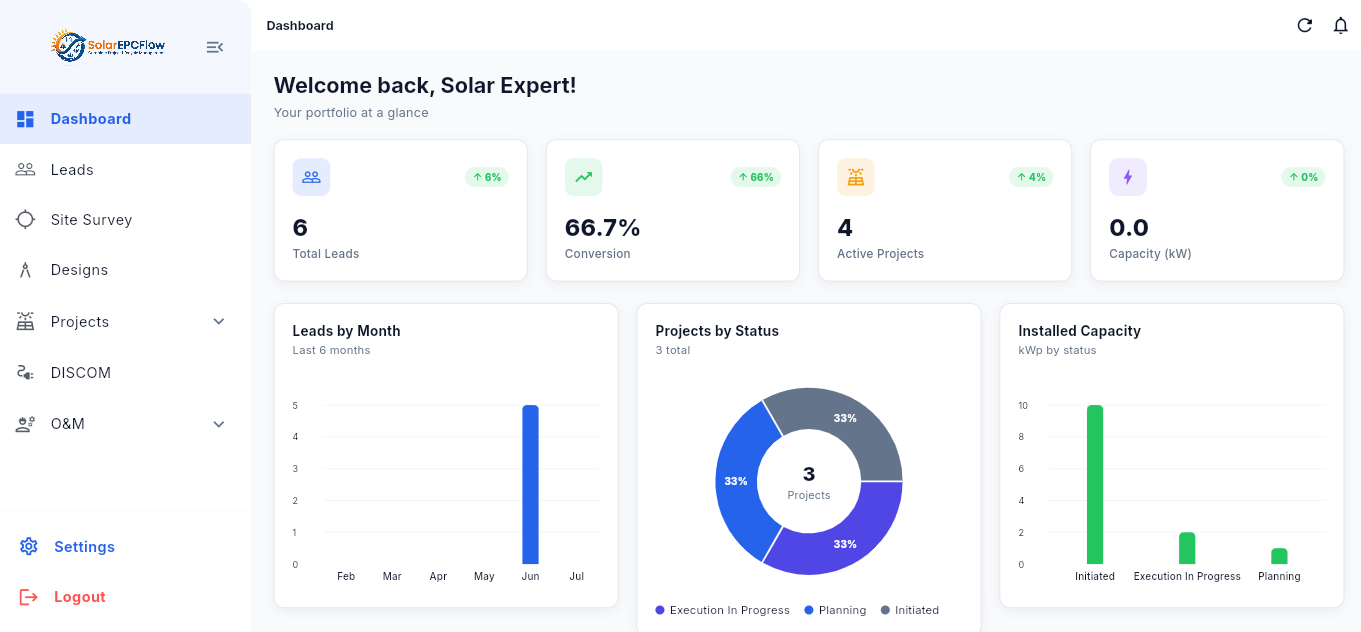
    Owners see the portfolio, blockers and capacity; each team works its own queue on web and mobile.

Case study · Rooftop solar EPC, Maharashtra

Illustrative scenario

Net-metering delays visible on day one, not week four

A rooftop EPC handling 40–50 residential and commercial projects a month tracked everything in a shared spreadsheet. With the DISCOM tracker in SolarEPCFlow, every pending document and inspection has an owner and a date, and the owner reviews blockers in a ten-minute daily stand-up instead of calling five people.

Based on how teams in this industry typically roll out the product. Figures are representative, not a specific customer's results.

45/moprojects tracked end to end
1 screenfor every project's status
10 mindaily blocker review

Pricing example

What it costs for a growing rooftop EPC with up to 15 users

A simple example on the Professional plan. Every extra employee or agent is added at the same per-person rate, so it is easy to work out for your own team. Start with a free trial and pay only when you continue.

  • Up to 15 users
  • Everything in Starter
  • Project execution and milestones
  • DISCOM and net-metering tracker
  • Subsidy and document checklist
  • O&M tickets and AMC schedules
Compare all SolarEPCFlow plans
SolarEPCFlow · Professional
  • Professional plan₹5,999

₹5,999/month + GST

Billed annually. GST extra.

Register for Professional Book a demo

FAQ

Frequently asked questions

Is SolarEPCFlow suitable for residential rooftop installers?

Yes. The Starter plan is built for installers doing up to around 10 projects a month, with lead management, site surveys, designs and proposals.

Does it support PM Surya Ghar subsidy workflows?

Yes. Projects carry a subsidy checklist for the documents and portal steps, with status tracking so claims are not forgotten after commissioning.

Can it handle C&I and open-access projects?

Yes. Milestones and document checklists are configurable per project type, so C&I projects can carry their own approvals and stages.

Do DISCOM steps differ by state?

They do, and SolarEPCFlow lets you define the net-metering steps and documents for each DISCOM you work with.

Can my channel partners use it?

Yes. Partners can be given limited access to submit leads and see the status of their own referrals.

Try SolarEPCFlow free

Start with a free trial, no payment needed. Book a demo if you would like a walkthrough first.